
Unlock Decorations and Aquariums in Drawquarium
The Drawquarium unlock path explained: templates, brushes, tank layers, backgrounds, and second aquariums, plus what to buy in which order.
Drawquarium's progression is a set of unlock layers rather than a level track. Golden Scales buy templates and tools, goals push you toward new systems, and tank customization opens up as you spend. The order you unlock things in shapes the game you play: a fish-first player ends up with a gallery, a tank-first player ends up with a wallpaper. This guide maps the layers and gives an order that avoids dead purchases.
The currency itself is covered in the Golden Scales guide→.
The four unlock layers
1. Drawing layer. Templates, brushes, fill tools, parts such as eyes and fins, and custom template slots. This layer changes what you can make.
2. Tank layer. Water, sand, driftwood, rocks, plants, backgrounds, lighting, and caustics. This layer changes how the tank looks.
3. Space layer. Additional aquariums and the ability to move fish between them. This layer changes how much you can keep.
4. Presentation layer. Wallpaper mode, disco mode, and the camera controls that frame the tank on a desktop. This layer changes how you show the tank.
Most players over-invest in layer 1 and under-invest in layers 2 and 3. A better fish in a plain tank is less impressive than a simple fish in a well-built tank.
What the game confirms
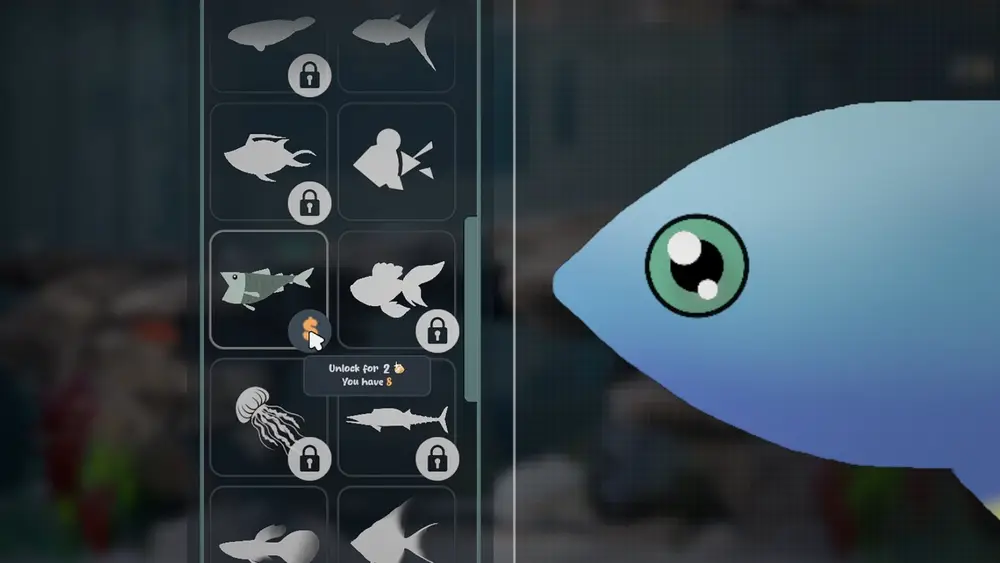
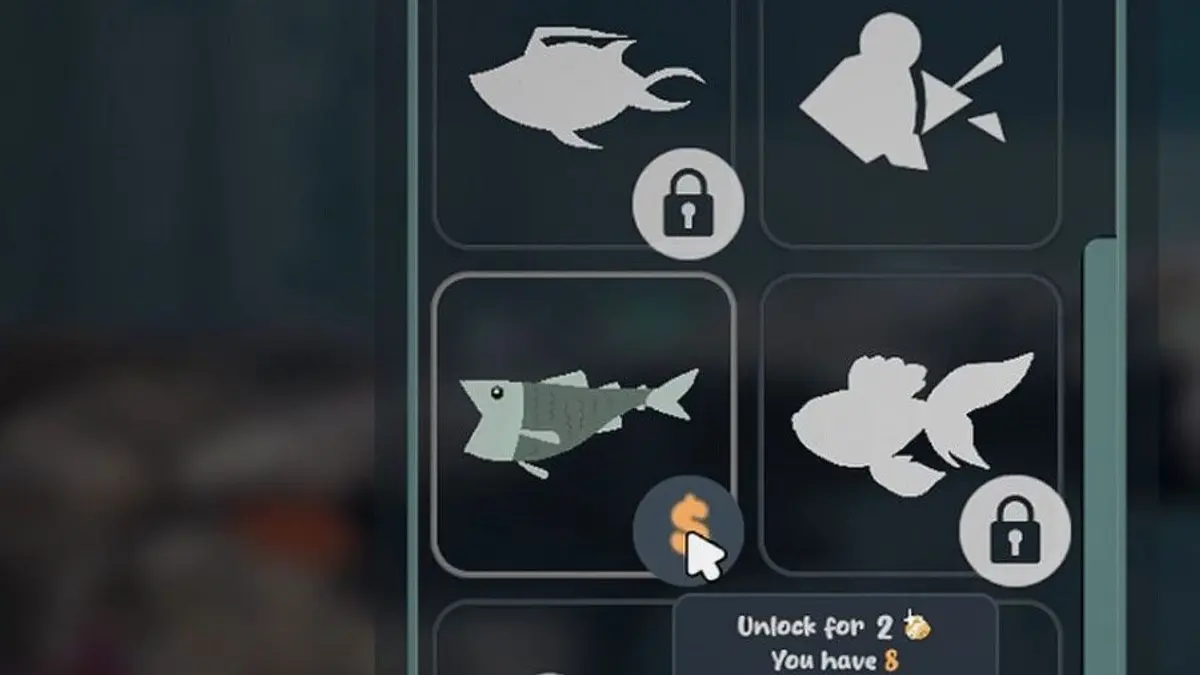
- Templates unlock with Golden Scales; a screenshot shows a price of 2 scales.
- The September update lists brushes, templates, rocks, driftwood, water, sand, colors, and customization as unlock targets.
- The goals panel includes moving a fish to a new aquarium, which confirms multiple tanks.
- Wallpaper mode and disco mode exist as presentation states.
- Custom templates and categories are part of the demo feature set.
What is not confirmed: the total number of unlocks, the price of later items, whether some items are event-only, and whether tank parts are shared across aquariums.
A sensible unlock order
Week one: one body, one tool, one tank layer. Pick a second body type you will draw, one editor upgrade that fixes a frustration, and one tank layer that changes the mood. Stop there.
Week two: a background and a plant set. The background does more for screenshots than any fish. Plants add depth and give fish places to swim.
Week three: a second aquarium. Move a fish into it, set it up as a workshop or a breeding tank, and keep the first tank as the display tank.
Later: specialization. Build a dark bioluminescent tank, a bright reef tank, or a disco tank. Specialized tanks are more fun than one tank that tries to be everything.
Why a second aquarium matters
A second tank solves three problems:
- Breeding. Parents and babies need separate space.
- Experiments. A workshop tank can be messy while the display tank stays clean.
- Themes. A dark glow tank and a bright daylight tank cannot coexist in one scene.
The goals panel already pushes you toward moving fish between tanks, so the game expects this. Do not wait until you have a perfect first tank; a second tank is part of the path to one.
What not to unlock early
Cosmetic variants of items you already own. A second driftwood shape is not a new experience.
Expensive templates you will not draw. The price is not a signal of value.
Presentation modes before the tank looks good. Disco mode on an empty tank is a light show with nothing in it.
Anything you cannot afford without grinding. The game has no fail state; waiting a day costs nothing.
Keep one tank deliberately plain while you learn. A plain tank makes it obvious which unlock actually changed the look, and it is easier to clean.
Official source: Drawquarium store page ↗ and the September update ↗, rokaplay ↗ and the Drawquarium Discord ↗
Do unlocks carry across tanks?
The currency counter is global in the screenshots, which suggests unlocks are account-wide. Whether a specific rock or plant can be placed in every tank is not documented. Test with a cheap item before you build a plan around sharing.
A completionist's warning
There is no published completion list, no achievement list on Steam, and no reward for owning every template. If you enjoy collecting, collect; if you enjoy building, build. The game does not keep score either way.
FAQ
How do I unlock a second aquarium?
The goals panel includes a task to move a fish to a new aquarium, which implies the second tank is unlocked through progression. The exact trigger is not published.
Are decorations unlocked with scales or goals?
Both are confirmed paths: scales buy items, goals push progression. Some items may be goal-gated, but the split is not documented.
Can I preview an unlock before buying?
The template popup shows the item and price before you confirm. For tank parts, the panel shows the variants, so you can see the shape before spending.
Is there anything that requires real money?
No microtransaction store is listed on the Steam page. Unlocks use the in-game currency.
More Drawquarium Guides
How levels, days old, medals, metallic shimmer, and golden fish work in Drawquarium, and what the level 25 goal actually asks for.
A Drawquarium fish list built from official screenshots and patch notes: body templates, bottom feeders, jellyfish, sharks, and golden fish.
Use Drawquarium as a focus companion: the clock, timer, journal, checklist, and wallpaper mode, plus a simple work session setup.
How the Drawquarium food editor works, which shapes to draw, how portion size affects leftovers, and why bottom feeders still need the vacuum.
A practical Drawquarium guide for the first hour: draw a fish that reads well, feed it, finish early goals, and unlock your first upgrades.
Where Drawquarium runs: Windows PC requirements, Mac and Linux answers, Steam Deck compatibility, mobile, and console availability.
Drawquarium's price has not been announced. What is confirmed, how regional pricing works, whether it is free, and how to avoid overpaying.
Drawquarium launches on November 13, 2026 for Windows on Steam. What is confirmed about the release, the trailer, wishlists, and launch day.