
Import Your Own Drawings Into Drawquarium
How PNG import works in Drawquarium, how to prepare a child's drawing or your own art, and what to fix when an imported image looks wrong in the tank.
Drawquarium lets you bring outside art into the aquarium. The store page mentions uploading your own drawings and specifically calls out a child's drawing; the announcement posts mention PNG files. That makes import the shortest path from "I have a picture" to "my fish is swimming on my desktop". This guide covers preparation, the import itself, and the fixes that make an imported image look like it belongs in the tank.
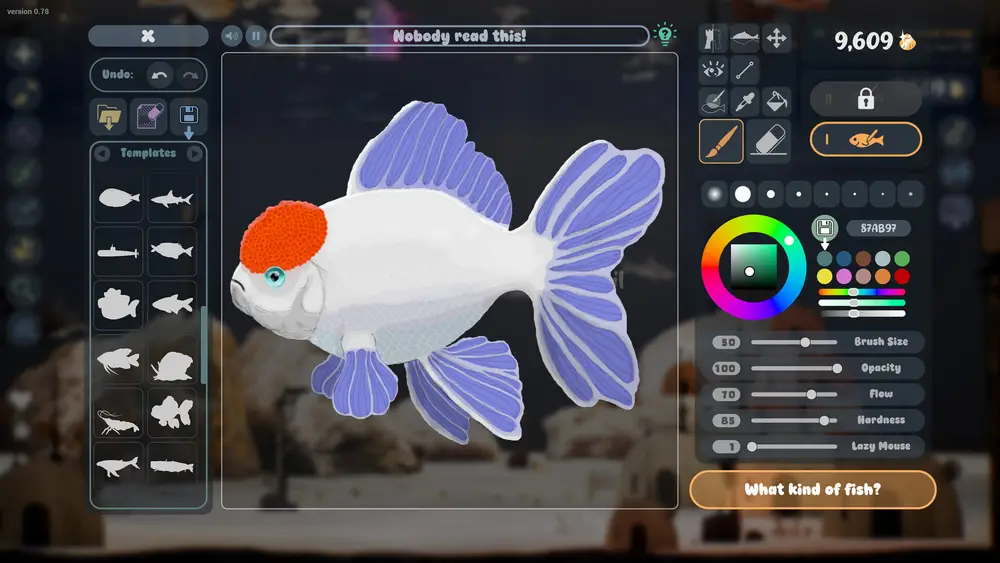
If the imported image needs cleanup, the drawing guide→ covers the editor.
What the game accepts
The developer's posts describe PNG import. The store page does not publish a file-size limit or a required resolution, so treat those as unknown until the release build shows an error message. What is safe to assume:
- PNG is the supported format.
- Transparent backgrounds are the useful case, because you want the fish shape, not a rectangle.
- The import becomes a fish or a decorative image, depending on where you use it.
Do not import a JPEG and rename it. Convert it to a real PNG with transparency first.
Preparing a drawing
A clean import has four properties:
- Transparent background. Remove the paper, the table, or the white box.
- One subject. A fish, a plant, a castle. Not a whole scene.
- Strong outline. The tank lighting washes out pale edges.
- Room around the subject. Leave a margin so the animation does not clip the fins.
If the source is a photo of a child's drawing on paper, scan or photograph it flat, then cut out the background. A phone photo with a shadow will look like a photo in the tank, not a drawing.
A simple cleanup workflow
Use any image editor you already have:
- Open the scan or PNG.
- Crop to the drawing with a small margin.
- Remove the background with a magic wand or manual mask.
- Clean stray marks and paper texture.
- Boost contrast slightly so the lines survive the water tint.
- Export as PNG with transparency.
You do not need to redraw anything. The charm of an imported child's drawing is the wobble in the lines. Clean the background, not the style.
Importing
The exact menu path is not documented in the official material, and it may differ between the demo and the release build. Look for an import or upload control in the editor or the tank's add menu. The demo page lists "import own images" as a feature, so the option exists in the demo's interface.
If the import control is missing, check that you are in the right editor. Food, fish, and plants use different canvases, and the import option may live on only one of them.
Making an import look native
An imported image is flat art on a 3D body. Three adjustments close the gap:
Match the palette. Sample a color from your tank's water or plants and tint the drawing's whites toward it. Pure white reads as paper.
Thicken the outline. A one-pixel line disappears at wallpaper distance. Add a two- or three-pixel dark outline around the subject.
Reduce interior detail. A busy drawing becomes visual noise when it moves. Simplify the interior, keep the recognizable features.
If the import supports animation settings, give it a gentle swim rather than a fast one. Flat art moving quickly looks like a sticker.
Importing a child's drawing
This is the feature the store page highlights, and it deserves its own note. Keep the original safe. Scan it at a high resolution, clean the background, and import a copy. The drawing will be scaled, animated, and possibly tinted by the tank, so the version in the game is a performance of the original, not a replacement.
Name the fish after the child or the drawing. The fish card shows the name and a personal quote, and the combination is what makes the import feel like a character.
The October Creative Event rules explicitly banned imported images and AI-generated content from contest entries. Import is fine in your own tank; it is not eligible for that community event.
Official source: Drawquarium store page ↗ and the Creative Event post ↗, rokaplay ↗ and the Drawquarium Discord ↗
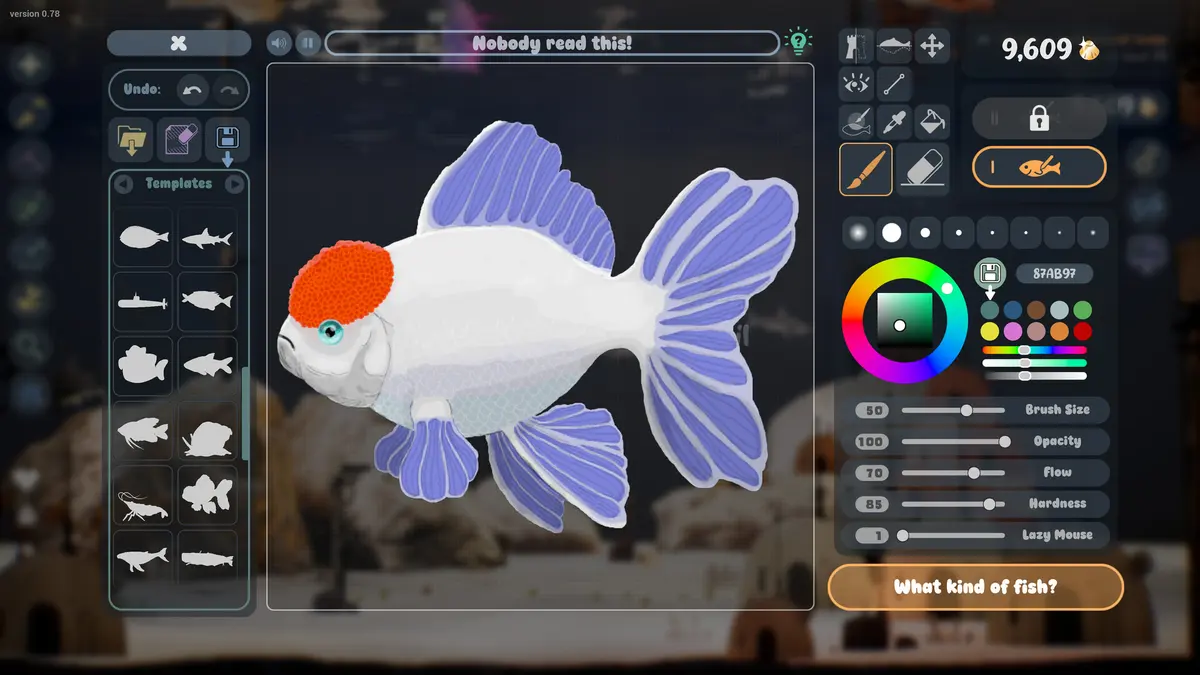
Common import problems
The background is still visible. The PNG was saved without transparency, or the transparency was flattened on export. Re-export with an alpha channel.
The fish is cropped. The subject touched the canvas edge. Add a margin and re-import.
The colors look washed out. The tank's water tint and lighting reduce saturation. Increase contrast and saturation slightly before import.
The fish does not swim naturally. Flat art has no skeleton. Use a gentle animation and keep the body shape simple.
The image is too large or too small. Crop tighter or add margin. The game scales the art, but it cannot fix a bad aspect ratio.
Import vs draw: which should you use?
Draw in the game if you want the fish to feel like part of the world. Import if the drawing already exists and its style is the point: a child's art, a scanned sketch, a character you made elsewhere.
You can do both. A tank with two drawn fish and one imported keepsake is a good mix, and it shows off what the feature is for.
FAQ
What file types can I import?
PNG is the format named in the developer's posts. Other formats are not confirmed.
Can I import a plant or a background?
The store page mentions uploading drawings and drawing plants. Import is described for images generally, so plants and decor are plausible, but the exact supported slots are not documented.
Does an imported fish breed?
Breeding depends on the game's fish system, not on how the art was made. An imported fish that is registered as a fish should use the same relationship system, but this is not confirmed in writing.
Can I sell or share imported art?
The game does not publish a marketplace. The Creative Event rules restricting imports suggest that community showcases have their own rules. Keep originals and do not upload art you do not own.
More Drawquarium Guides
How levels, days old, medals, metallic shimmer, and golden fish work in Drawquarium, and what the level 25 goal actually asks for.
A Drawquarium fish list built from official screenshots and patch notes: body templates, bottom feeders, jellyfish, sharks, and golden fish.
Use Drawquarium as a focus companion: the clock, timer, journal, checklist, and wallpaper mode, plus a simple work session setup.
How the Drawquarium food editor works, which shapes to draw, how portion size affects leftovers, and why bottom feeders still need the vacuum.
A practical Drawquarium guide for the first hour: draw a fish that reads well, feed it, finish early goals, and unlock your first upgrades.
Where Drawquarium runs: Windows PC requirements, Mac and Linux answers, Steam Deck compatibility, mobile, and console availability.
Drawquarium's price has not been announced. What is confirmed, how regional pricing works, whether it is free, and how to avoid overpaying.
Drawquarium launches on November 13, 2026 for Windows on Steam. What is confirmed about the release, the trailer, wishlists, and launch day.