
Drawquarium Common Mistakes New Players Make
Ten Drawquarium mistakes that cost scales, tank health, and desktop performance, and the simple habits that prevent each one.
Most Drawquarium mistakes are not skill failures. They are expectation failures: players treat it like a management sim, a drawing app, or a wallpaper tool, and then get frustrated when it behaves like all three at once. This list covers the ten mistakes that show up most often in the first week, with the habit that prevents each one.
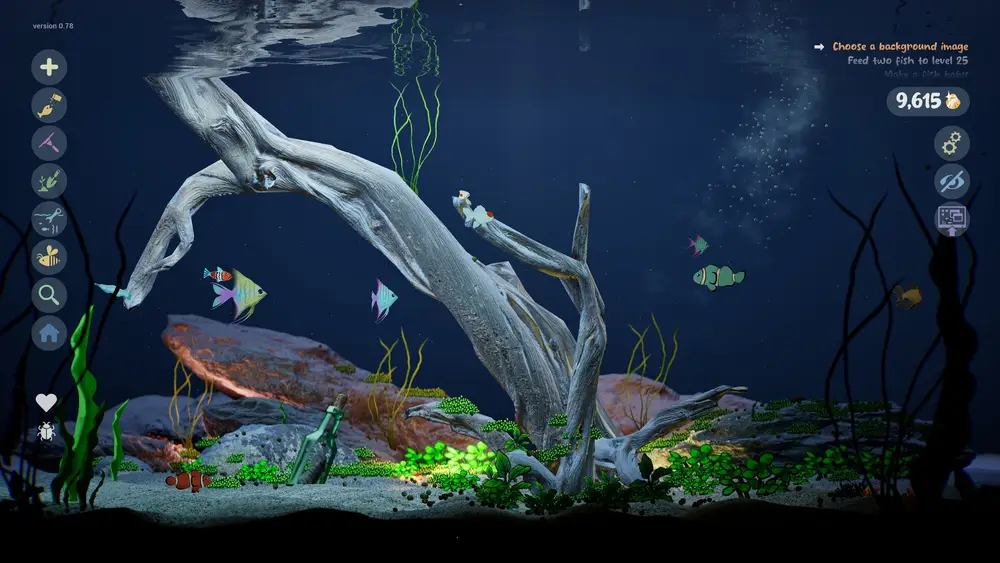
The Drawquarium tips and tricks guide→ turns these fixes into a routine.
1. Feeding too much
The September update added leftover food and debris that stay in the tank until you vacuum them. New players feed every fish on every visit, the sand fills with food, and the tank looks dirty.
Fix: feed one group, watch them eat, then stop. Vacuum before you decorate.
2. Buying templates before learning the editor
A template is a shortcut, not a lesson. If you buy five fish templates before you understand the brush, fill, and layers, you end up with a tank of someone else's fish and no idea how to make your own.
Fix: draw three fish with the free tools, then buy one template that teaches a shape you cannot draw.
3. Drawing fish too small
A fish drawn in a tiny corner of the canvas has no room for eyes, fins, or animation detail. It also looks lost in the tank.
Fix: fill most of the canvas with the body, then add parts. You can scale the fish afterward, but detail cannot be added retroactively.
4. Ignoring the goals list
The goals list is a free progression guide. It pushes you toward the fish list, a second aquarium, and rock formations, and it pays out in the currency you need.
Fix: keep one goal active. When it completes, pick the next one before you open the editor.
5. Losing fish in the tank
A tank with twenty similar fish is hard to navigate. The global fish list exists for a reason, and it supports name search.
Fix: name every fish, use the list, and keep the number of fish per tank low enough that you recognize them.
6. Decorating before fixing the water
Players spend scales on rocks and plants, then discover the water is too bright, the sand is too coarse, and the lighting washes everything out.
Fix: set water color, water level, sand, and lighting first. Decorations sit on top of that foundation.
7. Expecting a 3D sculpting tool
The editor is a 2D drawing tool that turns a drawing into a 3D-ish swimming creature. It is not a modeling program, and it does not let you sculpt a body in three dimensions.
Fix: think in silhouettes and layers. A strong outline and a clear eye do more than a hundred brush strokes.
8. Running wallpaper mode on battery
A live aquarium renders continuously. On a laptop, wallpaper mode drains the battery and spins the fans.
Fix: plug in for long sessions, lower caustics and particles, and use a darker tank.
9. Assuming demo progress carries over
The demo is a separate Steam app. No save transfer has been promised.
Fix: treat demo fish as practice, and keep a PNG of any drawing you love.
10. Waiting for a perfect first tank
A first tank is a learning tank. Players who restart every time they learn a new tool never finish anything.
Fix: build one tank badly, then build the second one well. The second aquarium exists for exactly this.
Bonus mistake: treating the price as a review score
The price is not published at the time of writing. Do not decide the game is overpriced or a bargain based on a guess. Use the demo to decide whether the loop is for you, then read the price when it appears.
Do not leave a large meal in the tank before switching to wallpaper mode. The interface is hidden, the mess accumulates, and you will not notice until you return.
Official source: Drawquarium store page ↗ and the September update ↗, rokaplay ↗ and the Drawquarium Discord ↗
FAQ
What is the biggest beginner mistake?
Overfeeding. It creates visible mess, requires vacuuming, and makes the tank look worse than it is.
Should I restart my tank if it looks bad?
No. Build a second aquarium instead. Restarting throws away progress and teaches nothing.
Do I need to buy templates to make good fish?
No. The free editor can draw a complete fish. Templates help with shapes you find difficult.
Is wallpaper mode worth using?
Yes, if your PC is plugged in and the tank is calm. It is the feature that makes Drawquarium different from other aquarium games.
More Drawquarium Guides
A Drawquarium fish list built from official screenshots and patch notes: body templates, bottom feeders, jellyfish, sharks, and golden fish.
Use Drawquarium as a focus companion: the clock, timer, journal, checklist, and wallpaper mode, plus a simple work session setup.
How the Drawquarium food editor works, which shapes to draw, how portion size affects leftovers, and why bottom feeders still need the vacuum.
A practical Drawquarium guide for the first hour: draw a fish that reads well, feed it, finish early goals, and unlock your first upgrades.
Where Drawquarium runs: Windows PC requirements, Mac and Linux answers, Steam Deck compatibility, mobile, and console availability.
Drawquarium's price has not been announced. What is confirmed, how regional pricing works, whether it is free, and how to avoid overpaying.
Drawquarium launches on November 13, 2026 for Windows on Steam. What is confirmed about the release, the trailer, wishlists, and launch day.
How the Drawquarium template grid works: fish, eyes, fins, and food categories, Golden Scale unlocks, custom templates, and saved palettes.