
Drawquarium Platforms: Windows, Mac, Steam Deck
Where Drawquarium runs: Windows PC requirements, Mac and Linux answers, Steam Deck compatibility, mobile, and console availability.
Drawquarium is a Windows game. That single sentence answers most platform questions, but the details matter if you are buying on a laptop, a Mac, a Steam Deck, or a phone. This page lists the confirmed platform facts, the minimum hardware, and the honest answer for every system the game does not support.
No Mac, Linux, console, or mobile version has been announced. The sections below explain each case and what the store page actually confirms.
The free Drawquarium demo→ is the only way to test your PC before launch.
Confirmed: Windows on Steam
- OS: Windows 10 64-bit or newer.
- Store: Steam.
- CPU: Intel Core i5-8400 or AMD Ryzen 5 1600.
- RAM: 8 GB.
- GPU: NVIDIA GTX 1060 or AMD RX 580 with 6 GB VRAM.
- DirectX: version 12.
- Storage: 700 MB.
- Sound: DirectX-compatible sound card.
- Recommended specs: not published.
The 700 MB figure is the storage requirement listed on the store page. The demo is larger (about 573 MB) because it is a separate build.
Is there a Mac version?
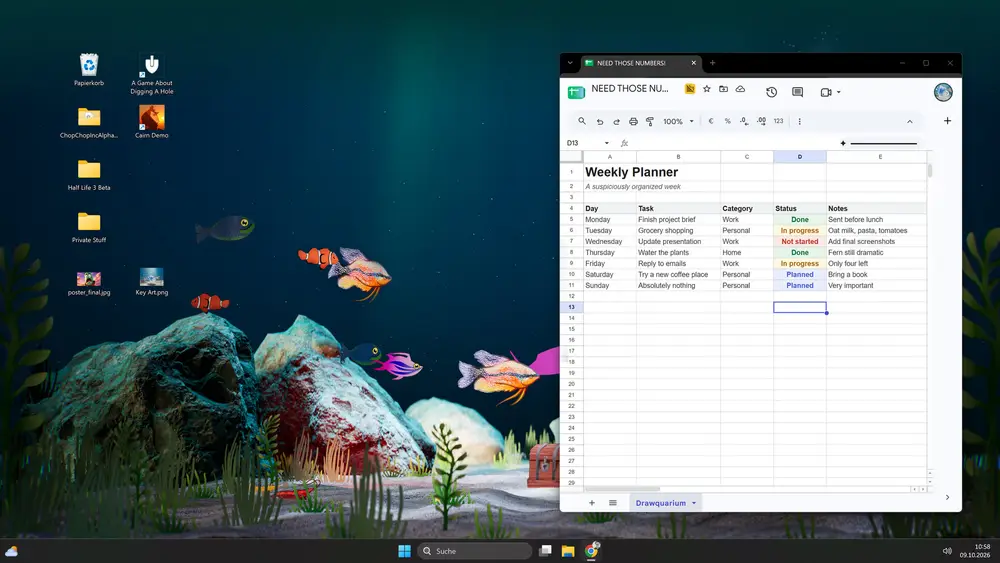
No. The store page lists Windows only, and no Mac announcement exists. The game is built around a live desktop wallpaper mode, which is a Windows-specific feature in this release.
Running it through a compatibility layer is not supported. If you try, expect the wallpaper mode to be the first thing that breaks.
Is there a Linux version?
No native Linux build has been announced. Steam Deck runs Linux, which leads to the next question.
Does it work on Steam Deck?
Not confirmed. The game requires Windows and DirectX 12, and the store page does not list Steam Deck compatibility. Steam Deck can run some Windows games through Proton, but a live wallpaper mode and a drawing interface are exactly the kind of features that need testing.
If you want to try it, treat it as an experiment. The drawing editor needs precise pointer input, and the Deck's trackpads are not a mouse. The wallpaper mode has no meaning on a handheld.
Is there an Android or iOS version?
No. Searches for "drawquarium android" and "drawquarium mobile" exist, but no mobile version has been announced. The game is a desktop experience with a wallpaper mode that only makes sense on a PC.
Is there an Xbox, PlayStation, or Switch version?
No. No console version has been announced. The game is listed for Windows only.
Is it on the Microsoft Store?
No. The store page is Steam. A Microsoft Store listing would be a separate release and has not been announced.
Can I play it in a browser?
No. There is no browser version and no official cloud streaming listing.
Steam features
The store page lists:
- Single-player.
- Steam Cloud for saves.
- Family Sharing.
- Camera Comfort and Mouse Only Option accessibility labels.
- Playable without Timed Input.
- Stereo Sound.
Steam Cloud matters for a game built around long-term tanks. Family Sharing means a household can share one copy, subject to Steam's rules.
What about a drawing tablet?
The game uses a mouse-oriented editor. A drawing tablet works as a pointing device, and the October playtest notes mention drawing-tablet pressure as a test area. Pressure support is not confirmed as a shipped feature, so do not buy a tablet for this game alone.
FAQ
Can I run Drawquarium on a Mac?
Not natively. No Mac version has been announced.
Does Drawquarium work on Steam Deck?
Not confirmed. The game is Windows-only and the store page does not list Deck compatibility.
What are the minimum specs?
Windows 10 64-bit, i5-8400 or Ryzen 5 1600, 8 GB RAM, GTX 1060 or RX 580 with 6 GB VRAM, DirectX 12, 700 MB storage.
Is there a mobile version?
No. No Android or iOS release has been announced.
Official source: Drawquarium store page ↗, Steam Deck ↗ and rokaplay ↗
More Drawquarium Guides
How levels, days old, medals, metallic shimmer, and golden fish work in Drawquarium, and what the level 25 goal actually asks for.
A Drawquarium fish list built from official screenshots and patch notes: body templates, bottom feeders, jellyfish, sharks, and golden fish.
Use Drawquarium as a focus companion: the clock, timer, journal, checklist, and wallpaper mode, plus a simple work session setup.
How the Drawquarium food editor works, which shapes to draw, how portion size affects leftovers, and why bottom feeders still need the vacuum.
A practical Drawquarium guide for the first hour: draw a fish that reads well, feed it, finish early goals, and unlock your first upgrades.
Drawquarium's price has not been announced. What is confirmed, how regional pricing works, whether it is free, and how to avoid overpaying.
Drawquarium launches on November 13, 2026 for Windows on Steam. What is confirmed about the release, the trailer, wishlists, and launch day.
How the Drawquarium template grid works: fish, eyes, fins, and food categories, Golden Scale unlocks, custom templates, and saved palettes.